The Jamstack
November 18, 2021
| – Jamstack |
| – How Jamstack works |
| – Building a Jamstack site |
| Content |
|---|
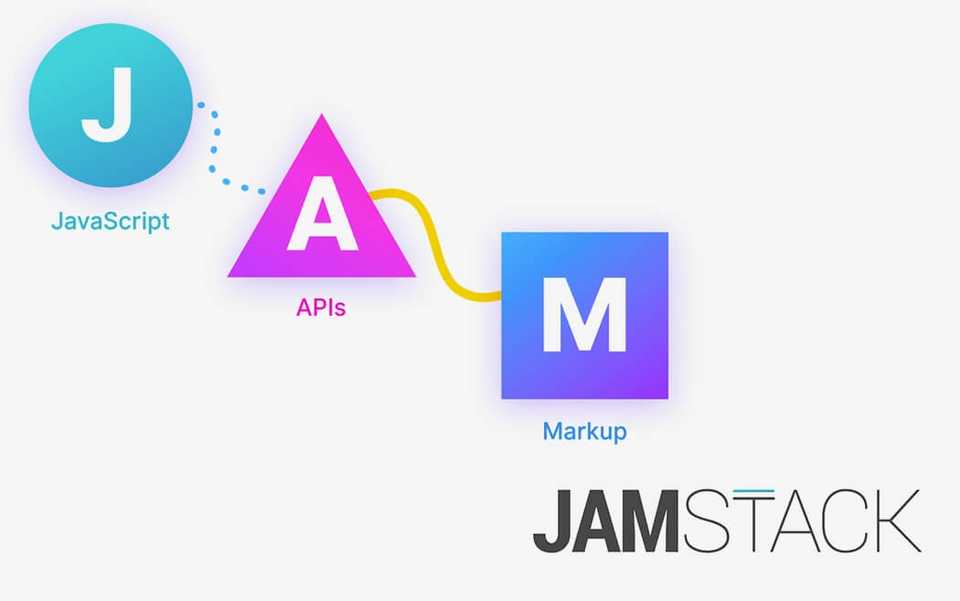
Jamstack - JAM
JavaScript [J] - APIs [A] - HyperText markup [M]
Architecture for web applications that is faster, cheaper and more secure than traditional client-server models where applications are served dynamically from a web server.
//Client-server model

 -----------                ----------        ------->    Web server
 | Browser |    <------>   | Internet |       ------->    App
 -----------                ----------        ------->    Database
Traditional client-server architecture
When a browser requests a web page, that a server happens to be hosting, the server first processes the request with a web server software like Apache or Nginx.
The request then maybe routed through a server app framework like Laravel, Rails, Wordpress, or Node.js to run some logic and/ or a database, in order to generate a web page back for the client browser that originated this request.
Jamstack main difference with client server model
There is no backend server for the App in Jamstack, at least not in the traditional way.
Jamstack consists of static HTML pages made dynamic with JavaScript, and third
party APIs services.
//Jamstack model

 -----------                ----------
 | Browser |    <------>   | Internet |       ------->    CDN
 -----------                ----------
How Jamstack architecture works
Jamstack sites do not have a backend server, are simply static files, that are served by a CDN (file hosting - content delivery network service).
When a browser makes a request to your site, the request gets routed to the physically
closest file server, ensuring the fastest possible response.
Once your static site has been loaded by the browser, it can use JavaScript to generate HTTP requests from third party services such as databases, identity management,
payment processing, serverless functions.
Storing and Retrieving data with Jamstack
You may have a cloud-hosted database using a service like Firebase, for example to make your HTTP/ Ajax requests, and make updates to your HTML page.
Benefits of Jamstack
Generally is faster, cheaper and more secure than a traditional client-server application as a direct result of having had removed the web server and using a CDN instead.
-
Faster
- A CDN does not process requests, instead just serves files, and as a result the request/response loop is shorter.
- CDNs can serve on the network edge - closer to the user, thus latency of the response is minimized.
-
Cheaper
- A web server will run 24/7, listening for requests. Since cloud computing is charged by the minute, you'll be paying for your server even in times when is idle.
- A CDN service will instead be charged by the volume of data served, and therefore idle time is not important.
-
More secure
- Unlike a web server, a CDN does not process requests, and therefore a lot less room for a hacker attack.
- The Jamstack app will still connect to services like cloud databases, or provide authentication services but these are often managed by specialist third parties, so security issues are usually minimized.
Building a Jamstack site
To build a Jamstack stie, you'd probably want to start with a static site generator like:
Gatsby, Next, Nuxt, 11ty, Hugo.
These are publishing tools that will create static files out of source files like HTML template files, JavaScript modules, and SASS/CSS.
The static site generator will process them and spit out static files ready to be deployed to a CDN.
Adding API services
Let's say I wanted to sell a digital framed copy of my CV online using Gatsby. Yes I could.
How would I handle payments without a server?
For this I could use Snipcart, an API based eCommerce service. To implement it, I could add an HTML payment button, that uses JavaScript to connect with Snipcart via API.
What if I wanted to add user accounts to my site?
To provide secure content access in my site, I could use Auth0; which is an API-based service
that provides identity management.
To implement it, I could add a login button to my site, that will open a login form, and securely authenticates the user with Auth0, sends a session token back to the site;
which it can then be managed using JavaScript.
Once done, rather than deploying directly to a CDN, I could use a static-site host such as Netlify, Vercel, Cloudfare or AWS; all which provide git-based workflows, that are config-ready for CDN deployment - Netlify does so completely free as far as I'm aware of. I know for a fact, that they don't have my credit card information for this site.
Git push origin main
Having a git-based workflow means than rather than building the app locally yourself, when
the app is ready, I'll simply do a git push
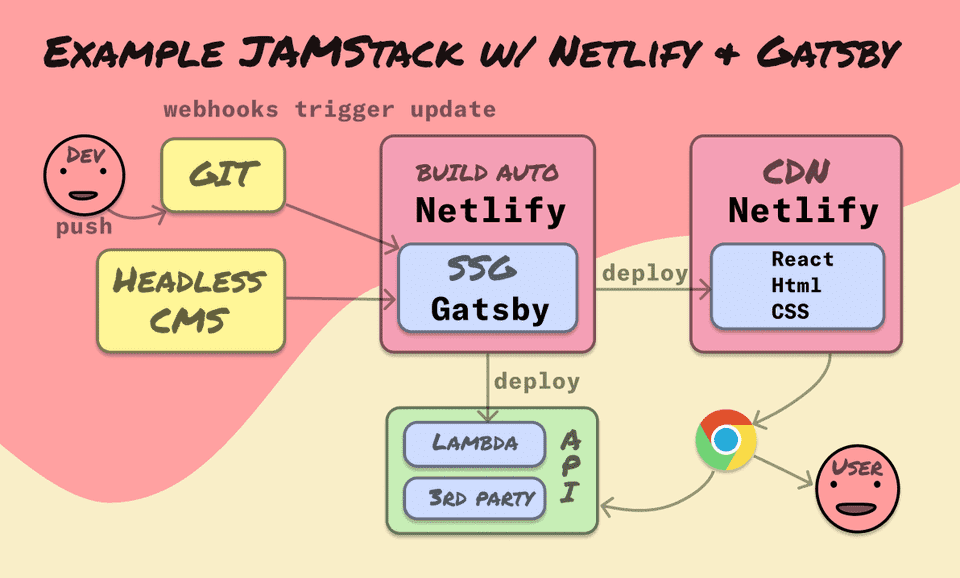
Netlify will detect this git push and use my codebase to re-deploy my static site build in its own servers, and later to a CDN -along with any other serverless functions to the cloud.